
Build a benchmark from your agent's own work
Author:
The LayerLens Team
Last updated:
Published:
A public benchmark tells you how a model handles someone else's test. Your agent has a narrower job, like answering an analyst's question from the right SEC filing, and the only test that tells you whether it is ready is one built from that job.
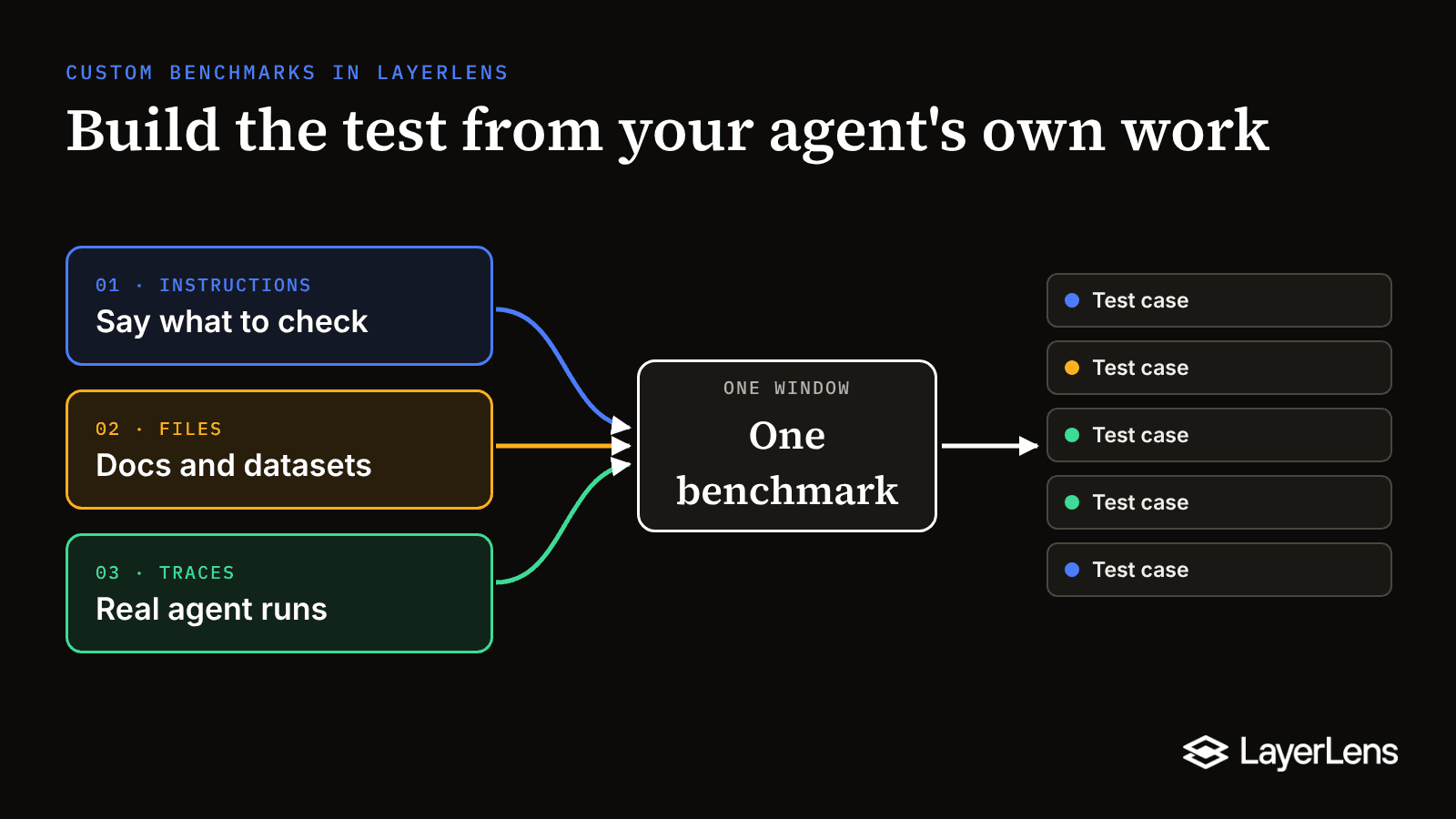
Starting today, you build that test in LayerLens in one step. Open Create Benchmark, say what the benchmark should check, and give it whatever you already have: a written brief, your documents or datasets, or real runs from your traces. LayerLens builds the test cases from all of it.

TL;DR
Custom benchmarks in LayerLens now start in one Create Benchmark window, replacing the choice between two separate build pipelines.
A benchmark can be built from a plain-English brief, uploaded files, selected traces, or any mix of the three.
Uploads take documents (PDF, DOCX, TXT, HTML, MD) and datasets (CSV, JSON, JSONL) up to 50MB per file.
The trace picker filters real agent runs by agent, framework, status and tag.
Prompts stay editable until the first evaluation runs, then lock so every agent version is scored on the same cases.
Three ways in, one window
Before this release, building a custom benchmark meant choosing a pipeline first. A smart build generated cases from documents, and a separate upload path parsed datasets, so picking the wrong one meant backing out and starting over. That choice is gone. The window asks one question, "What should it check?", and lets you answer with one source or all three.
Generate from instructions. Write a plain-English brief and LayerLens builds the whole benchmark from it, with no files or traces needed. The brief we used for this walkthrough said: "Analysts ask the research agent about public companies. Test that it returns the exact figure for the right fiscal period and cites the 10-K or 10-Q it came from. Include questions where the honest answer is that the filing does not report it."

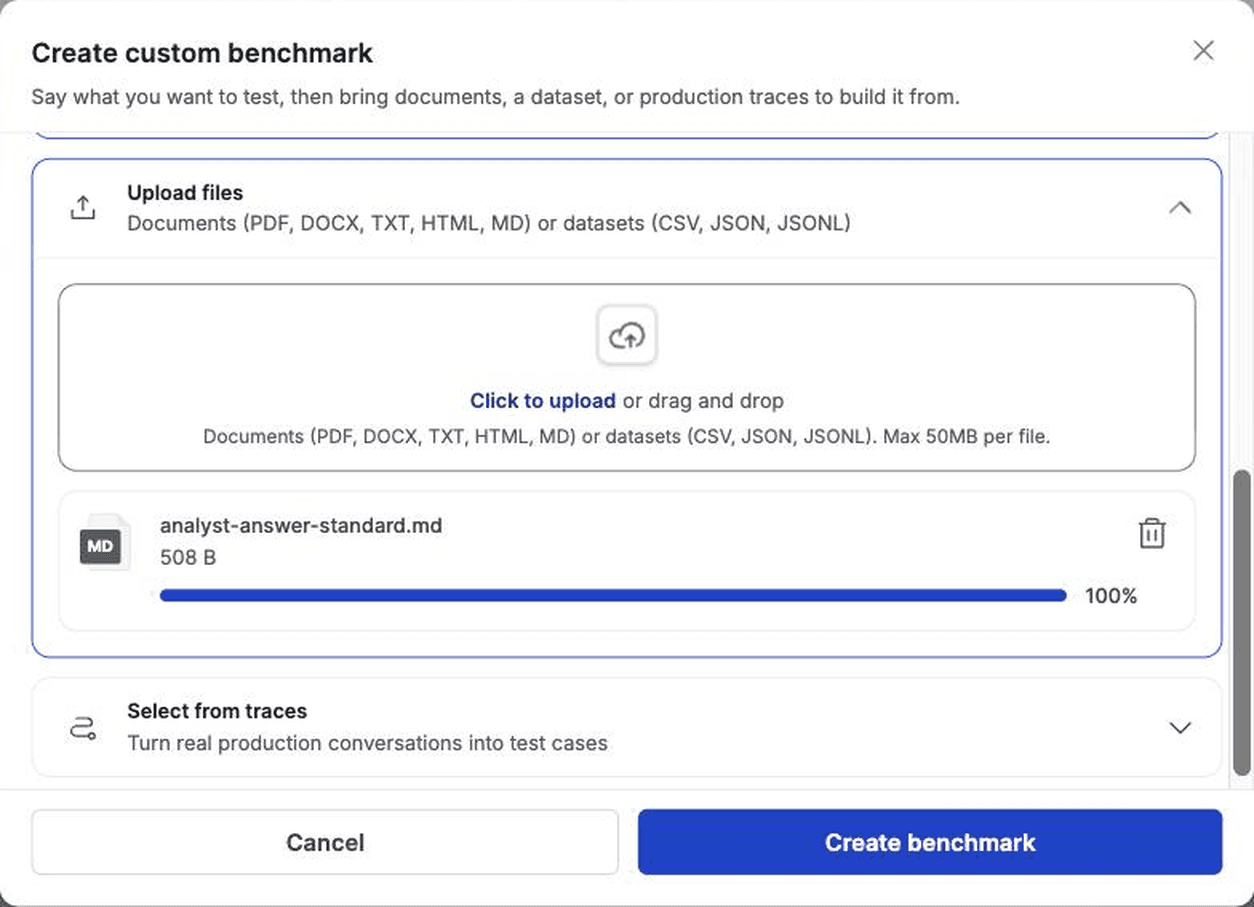
Upload files. Add documents (PDF, DOCX, TXT, HTML, MD) or datasets (CSV, JSON, JSONL), up to 50MB per file. A policy, a style guide or an answer standard your team already follows becomes source material for the cases. We added a one-page standard for how the agent should cite filings.
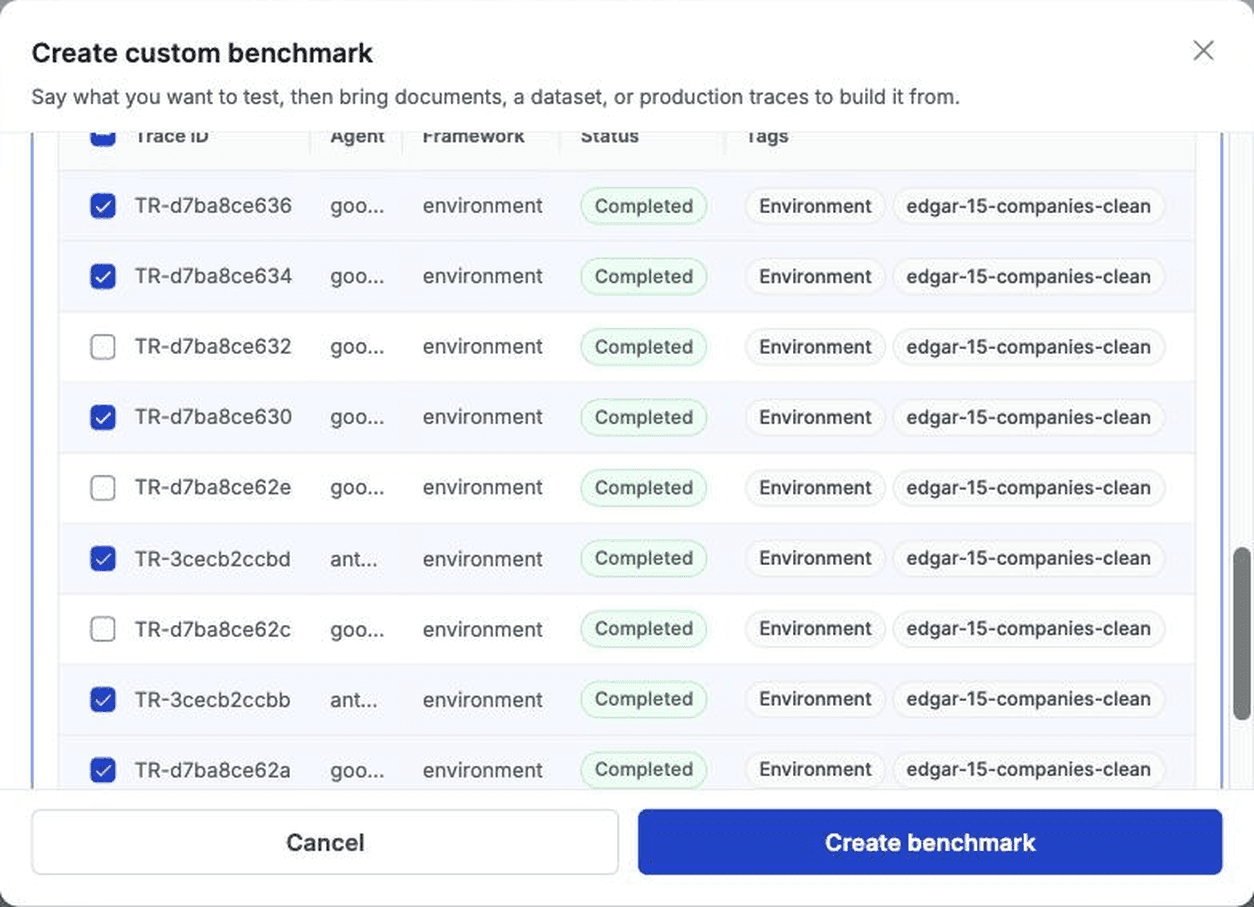
Select from traces. Pick real runs of your agent and turn them into test cases. The picker filters by agent, framework, status and tag, so you can pull exactly the runs you care about. The project we tested in had 3,426 traces, and we picked 6 runs of a financial research agent working through SEC filings.
Set the scorers on the same screen. They become the benchmark's defaults, and you can still change them when you run an evaluation.
The benchmark keeps its sources
Once you create it, the benchmark's Sources tab shows the instructions, files and traces it was built from, each with a Regenerate prompts button. If the cases miss something, edit the brief or add a source and regenerate, without rebuilding the benchmark.
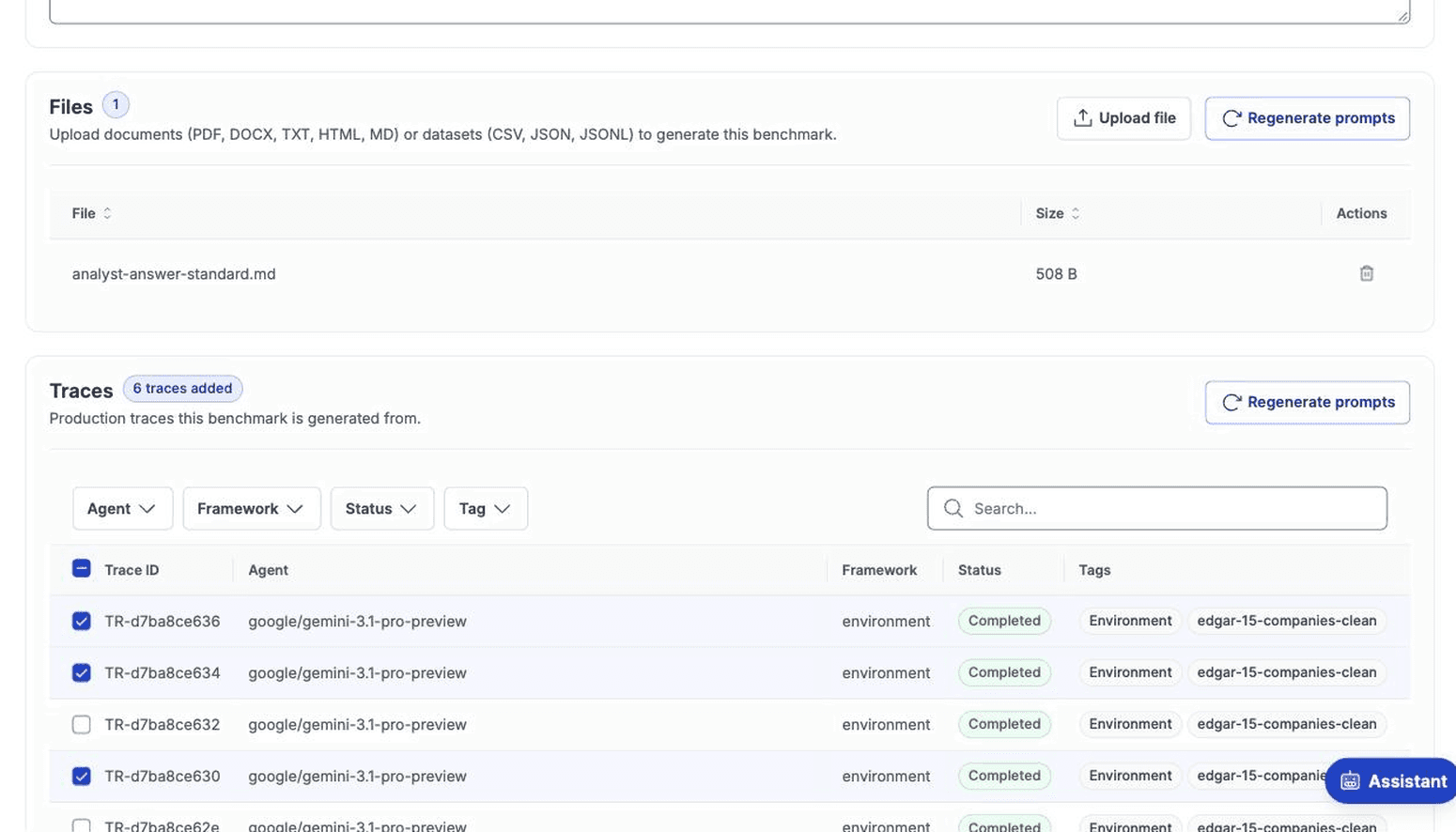
You can edit, add or delete prompts until the first evaluation runs. After that, changes are restricted. That rule is what makes the benchmark useful over time, because every new version of your agent is scored on the same cases as the last one, and a score change reflects the agent rather than a moved test.

Where to start
Pick one workflow your agent handles in production and the failure you would least like a customer to find. Write that failure into the instructions, attach the document that defines the right answer, and add a handful of traces where the agent handled that workflow. Then run your current agent version against it before the next one ships.
Custom benchmarks are under Catalog > Benchmarks > Create Benchmark in your LayerLens project.
Frequently Asked Questions
Do you need files or traces to create a benchmark?
Instructions alone are enough, and LayerLens generates the full benchmark from the brief.
Can you combine sources?
Yes. One benchmark can use instructions, uploaded files and selected traces together.
Which file types can you upload?
Documents in PDF, DOCX, TXT, HTML and MD, and datasets in CSV, JSON and JSONL, up to 50MB per file.
Can the scorers change later?
Yes. The scorers you pick at creation are the benchmark's defaults, and you can change them when you start an evaluation.
Can the generated test cases be edited?
Yes, until the first evaluation runs on the benchmark. After that, changes are restricted so results stay comparable across runs.
What happened to the separate smart benchmark and custom benchmark flows?
They are now one flow. Pick your sources in a single window instead of choosing a pipeline first.